---
title: Updating Your Klaviyo Added to Cart Metric
description: Klaviyo recently introduced a Shopify-branded Added to Cart event, which automatically syncs when enabled. This new method is actively maintained and recomme...
---
[Skip to content](https://help.gridandpixel.com/en-us/grid-and-pixel-help-center/getting-started/updating-your-klaviyo-added-to-cart-metric#main-content)
English - United States
Show submenu for translations
[](https://gridandpixel.com)
Open main navigation
Close main navigation
- English - United States
Show submenu for translations
- [Contact support](https://help.gridandpixel.com/en-us/grid-and-pixel-help-center/contact-us/contact-us)
[Contact support](https://help.gridandpixel.com/en-us/grid-and-pixel-help-center/contact-us/contact-us?hsLang=en-us)
Grid & Pixel Help Center
- There are no suggestions because the search field is empty.
1. [Grid & Pixel Help Center](https://help.gridandpixel.com/en-us/grid-and-pixel-help-center?hsLang=en-us)
2. [Start Here & Integrations](https://help.gridandpixel.com/en-us/grid-and-pixel-help-center/start-here-integrations?hsLang=en-us)
November 24, 2026
# Updating Your Klaviyo Added to Cart Metric
## Match the flow trigger to the Added to Cart event your store actually records, then verify it on a test shopper’s profile.
Klaviyo recently introduced a Shopify-branded **Added to Cart** event, which automatically syncs when enabled. This new method is actively maintained and recommended for accurate tracking and ease of use.
If your store was connected to the Klaviyo integration before this update, your **Added to Cart** metric may be outdated. It’s crucial to update your integration to ensure seamless tracking and maximize the effectiveness of your campaigns.
### Determining if your Added to Cart metric requires an update
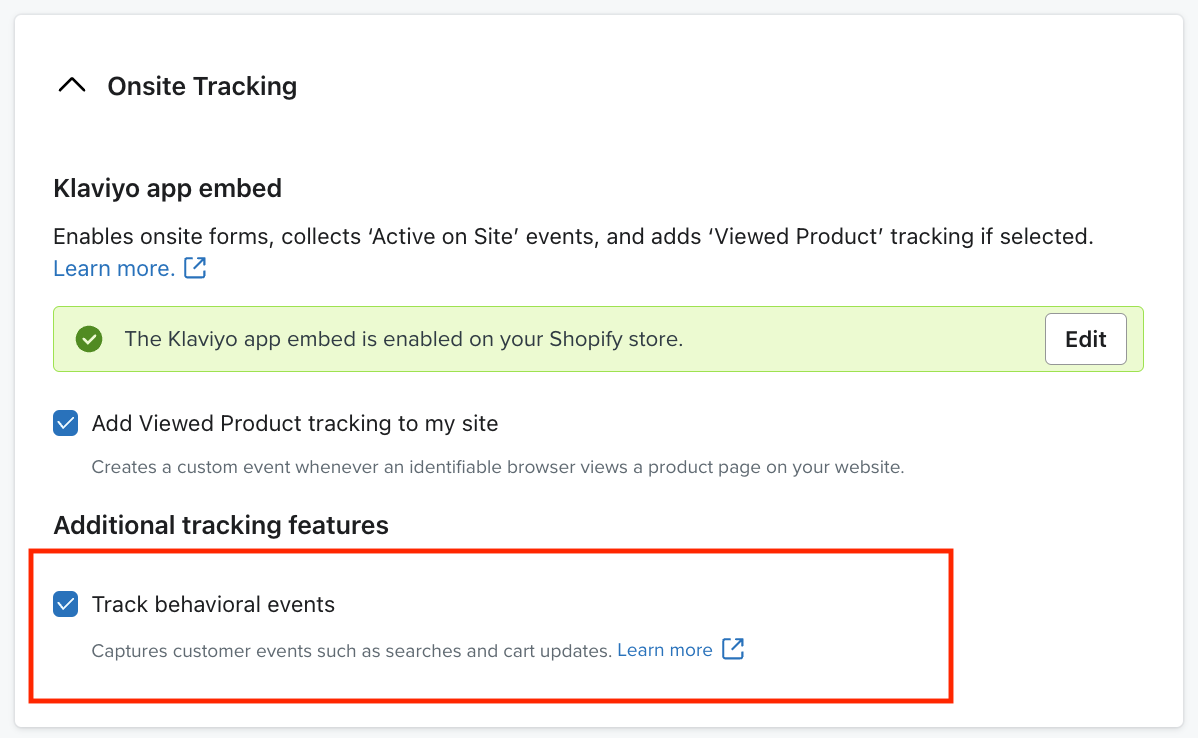
Inside your Klaviyo Integrations, tap on the **Shopify Integration** and look at your Onsite Tracking section:
If it looks like this, your integration is updated and no action is needed!
If see this blue banner, this means that your Added to Cart metric needs an update
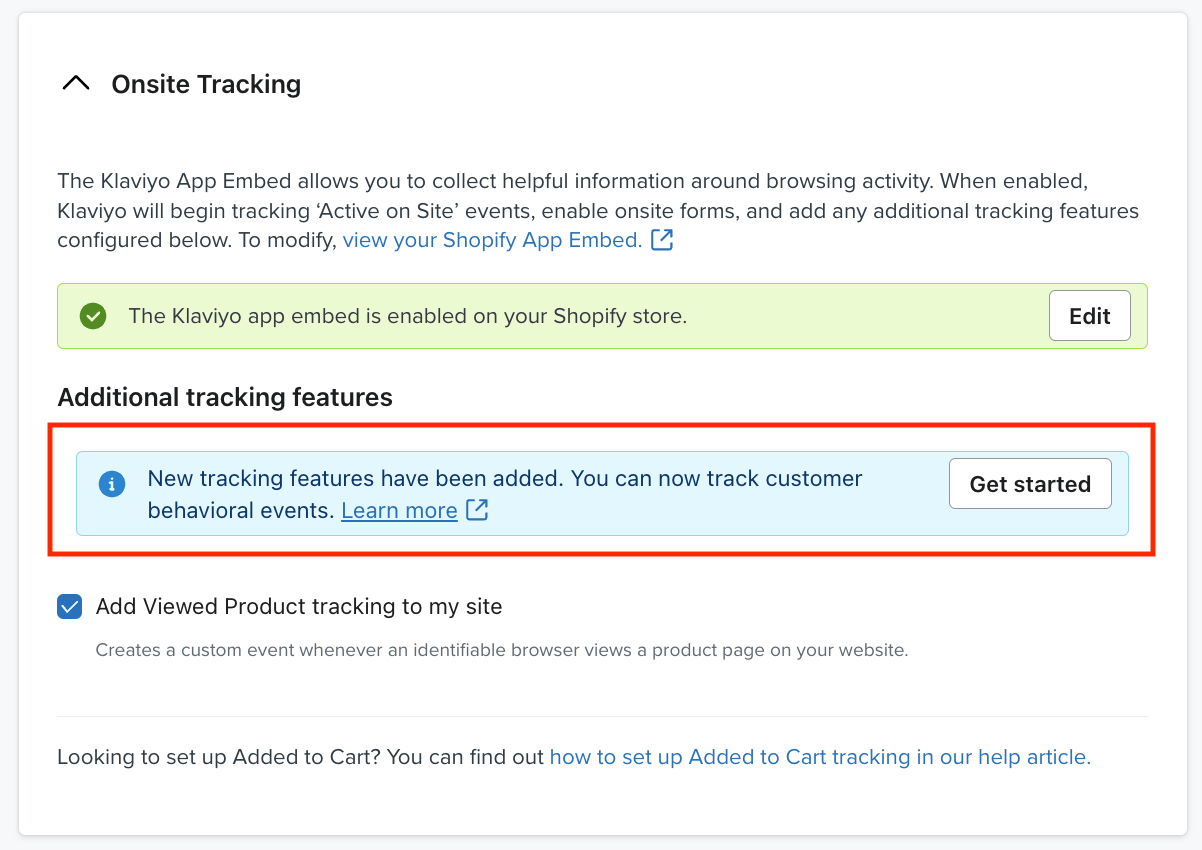
### Updating your Added to Cart metric
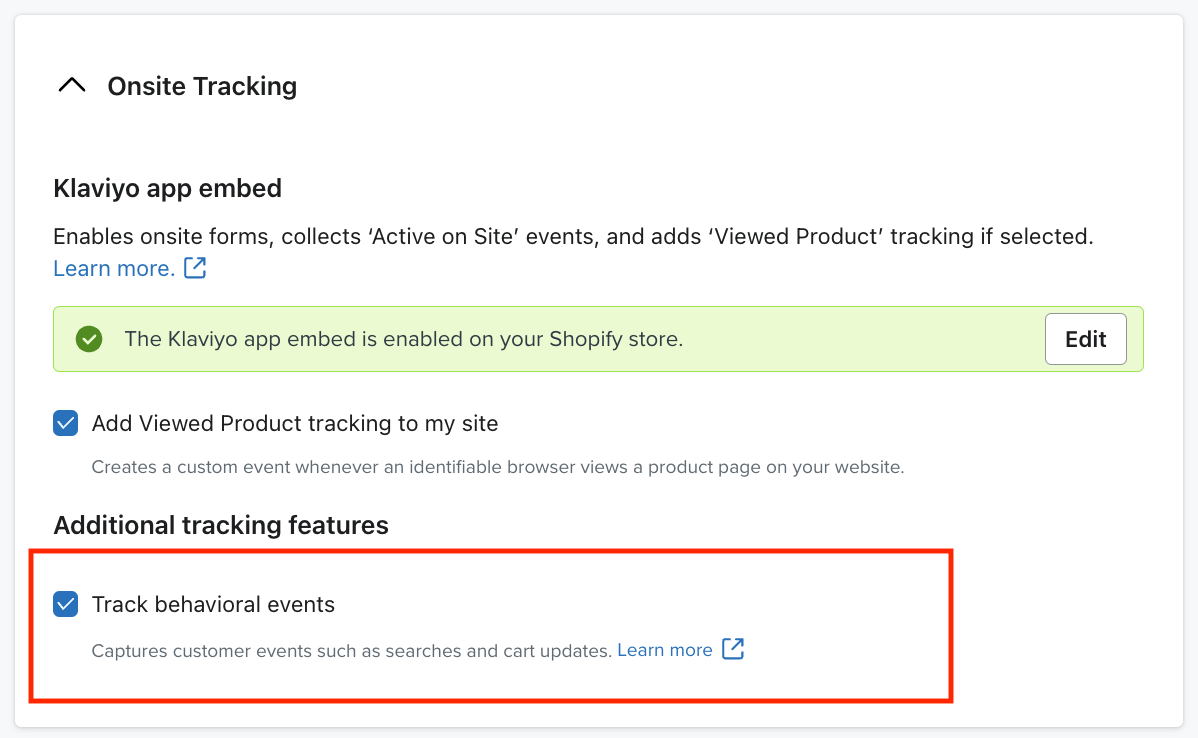
Tap the **Get Started** button and ensure **Behavioral events** is checked.
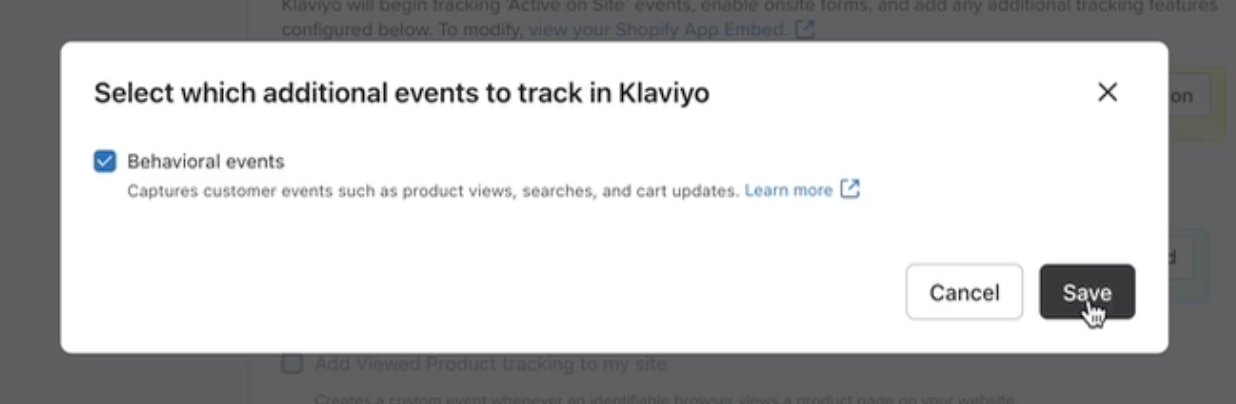
Once you save this, you will be redirected to your Shopify store where you will be prompted to update your Klaviyo App Integration.
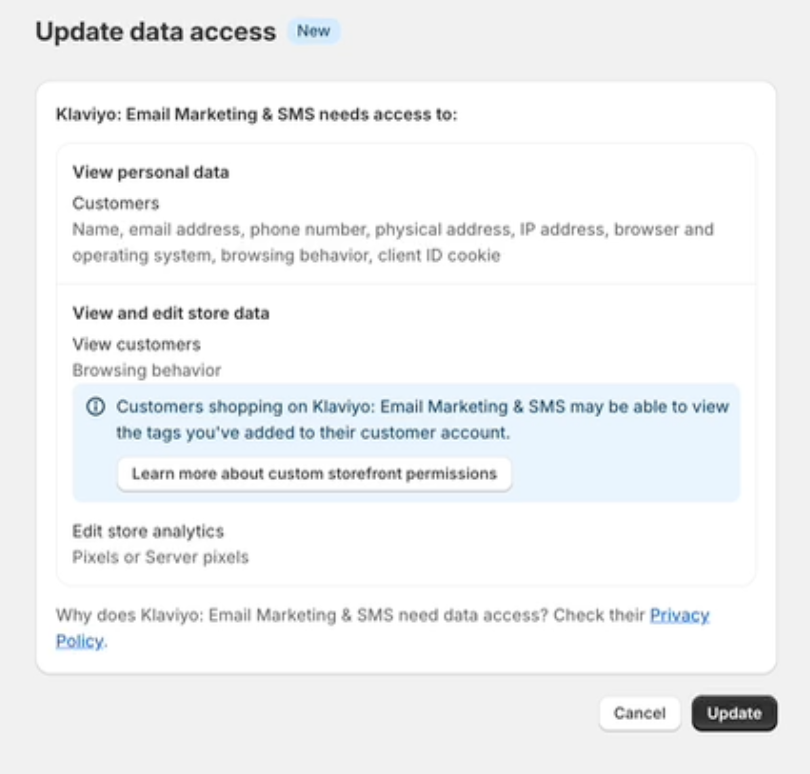
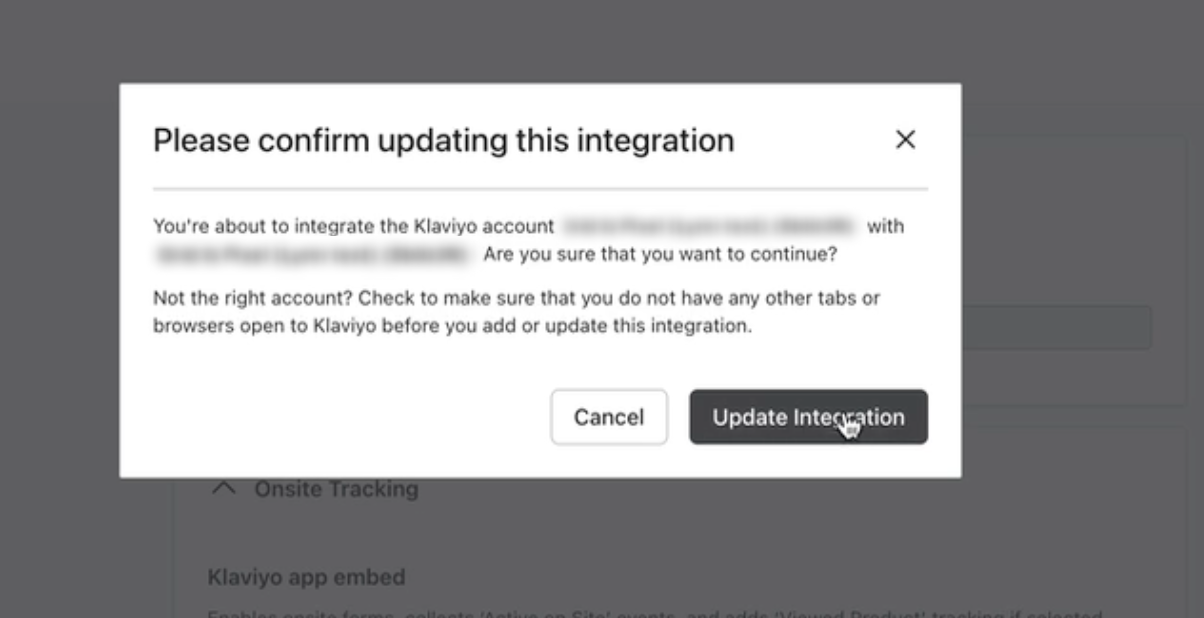
Once you update, you will be redirected back to your Klaviyo account where you must confirm to update your Shopify Integration.
Your Onsite Tracking section should look like this after you have completed the update:
Using the correct Added to Cart metric in flows & segments
When making use of the Added to Cart metric, always choose the Shopify-branded Added to Cart metric that looks like this:
You can differentiate it from the legacy Added to Cart metric as the legacy metric uses the custom metric gear icon:
### Separate a missing event from a skipped message
Use an identified test shopper on the storefront and add a specific product to the cart. Note the time and item. In Klaviyo, open the profile activity and inspect the Added to Cart event and its source. If it is absent, check storefront tracking and the integration before editing the email.
If the event is present, compare its source with the exact metric selected as the flow trigger. Inspect the profile filters, recent checkout or purchase exclusions, and message status. A test shopper excluded by a purchase filter requires a different correction from a store that never recorded the add-to-cart action.
[](https://gridandpixel.com)
[Contact Grid & Pixel support](https://help.gridandpixel.com/en-us/grid-and-pixel-help-center/contact-us/contact-us?hsLang=en-us)
[TikTok Shop tools](https://www.gridandpixel.com/tiktok) · [Klaviyo welcome flows](https://www.gridandpixel.com/welcome-series) · [AI email for Klaviyo](https://www.gridandpixel.com/ai-email-mcp)
[mailto:support@gridandpixel.com](mailto:support@gridandpixel.com)
Copyright © 2026 Grid & Pixel, Inc. All rights reserved.