---
title: Changing Your Brand Colors
description: Having dedicated brand colors in the Grid & Pixel app will allow you to instantly see our personalized graphics in the lens of your store's aesthetic. It...
---
[Skip to content](https://help.gridandpixel.com/en-us/grid-and-pixel-help-center/getting-started/changing-your-brand-colors#main-content)
English - United States
Show submenu for translations
[.png?width=226&height=35&name=Grid%20%26%20Pixel%20Logo%20(1).png)](https://gridandpixel.com)
Open main navigation
Close main navigation
- English - United States
Show submenu for translations
Grid & Pixel Support
- There are no suggestions because the search field is empty.
1. [Grid & Pixel Help Center](https://help.gridandpixel.com/en-us/grid-and-pixel-help-center?hsLang=en-us)
2. [Getting Started](https://help.gridandpixel.com/en-us/grid-and-pixel-help-center/getting-started?hsLang=en-us)
July 30, 2026
# Changing Your Brand Colors
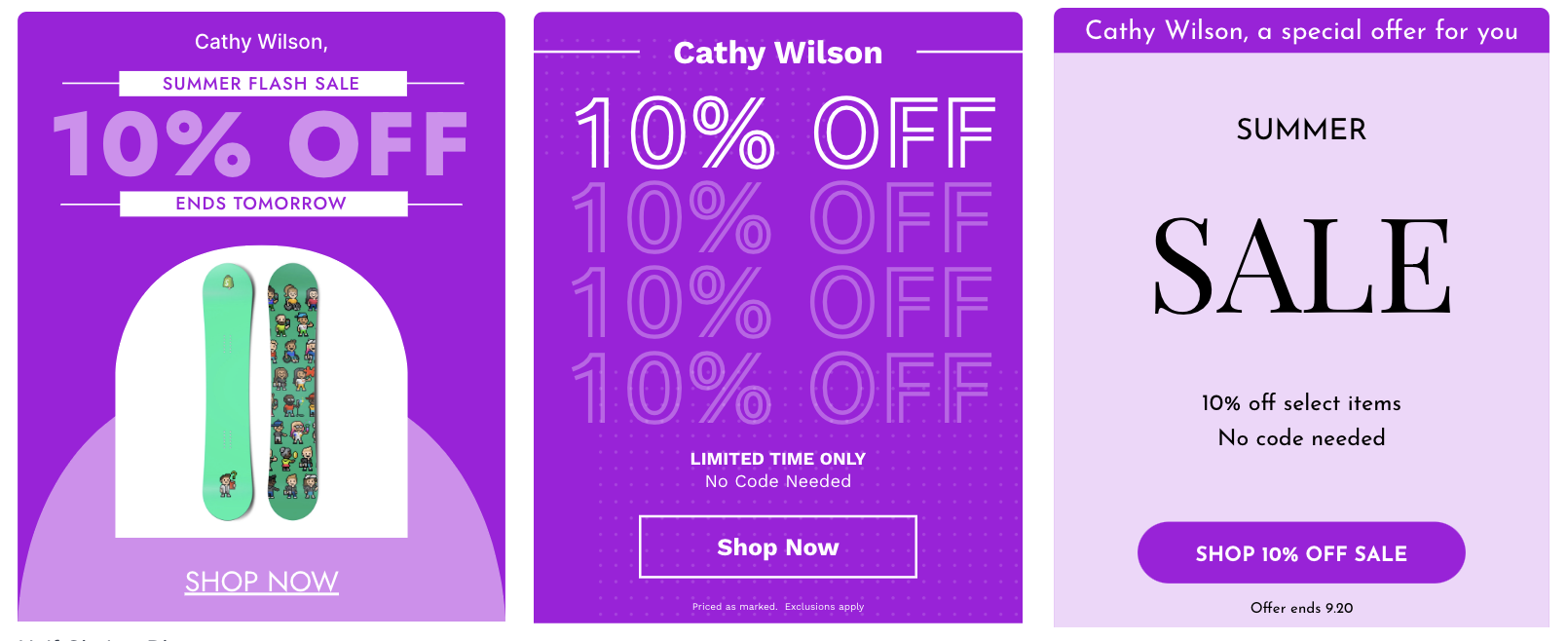
## Having dedicated brand colors in the Grid & Pixel app will allow you to instantly see our personalized graphics in the lens of your store's aesthetic. It also saves you time when you customize graphics, as they'll already be set to reflect your branded colors.
Having dedicated brand colors in the Grid & Pixel app will allow you to instantly see our personalized graphics in the lens of your store's aesthetic. It also saves you time when you customize graphics, as they'll already be set to reflect your branded colors.
## [Copy link](https://help.gridandpixel.com/getting-started/changing-your-brand-colors?hsLang=en-us#brand-colors-selection)Brand colors selection
If you've set brand colors in Shopify, we pull the best selection of those colors after you subscribe to Grid & Pixel. You can always change them afterward if you like (more on that below!).
## [Copy link](https://help.gridandpixel.com/getting-started/changing-your-brand-colors?hsLang=en-us#see-your-brand-colors)See your brand colors
To see what brand colors are associated with your account, simply:
1. Click the purple circular icon in the upper-right of any page within the app and tap **Account**
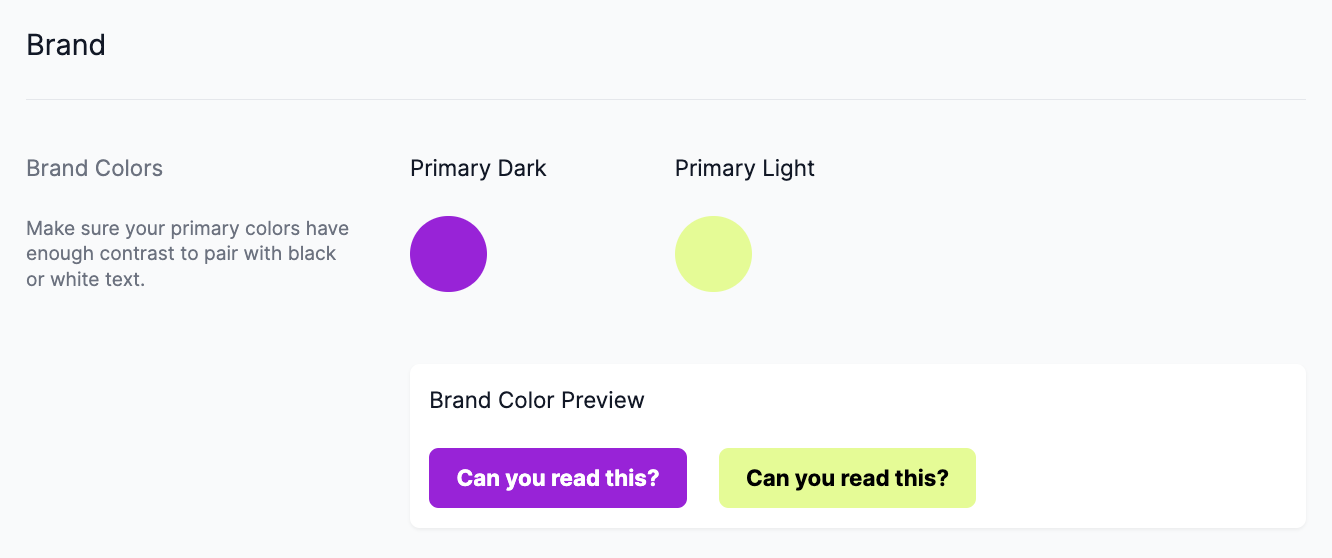
2. Scroll down to **Brand** to see the brand colors associated with your account. We have a **Primary Dark** and **Primary Light** color, and we pick the best color for each individual graphic.
## [Copy link](https://help.gridandpixel.com/getting-started/changing-your-brand-colors?hsLang=en-us#update-your-brand-colors)Update your brand colors
Follow these easy steps to update your brand color:
1. Click the purple circular icon in the upper-right of any page within the app and tap **Account**
2. Scroll down to **Brand** to see the brand colors associated with your account.
3. Tap the circle below **Primary Dark or Primary Light** to change the color. You can input a hexcode or use the color picker to find the perfect color.
4. Make sure you check the **Brand Color Preview** to see how they look with text. **Primary Dark** should be readable with light text over top, and **Primary Light** should look readable with dark text over top.
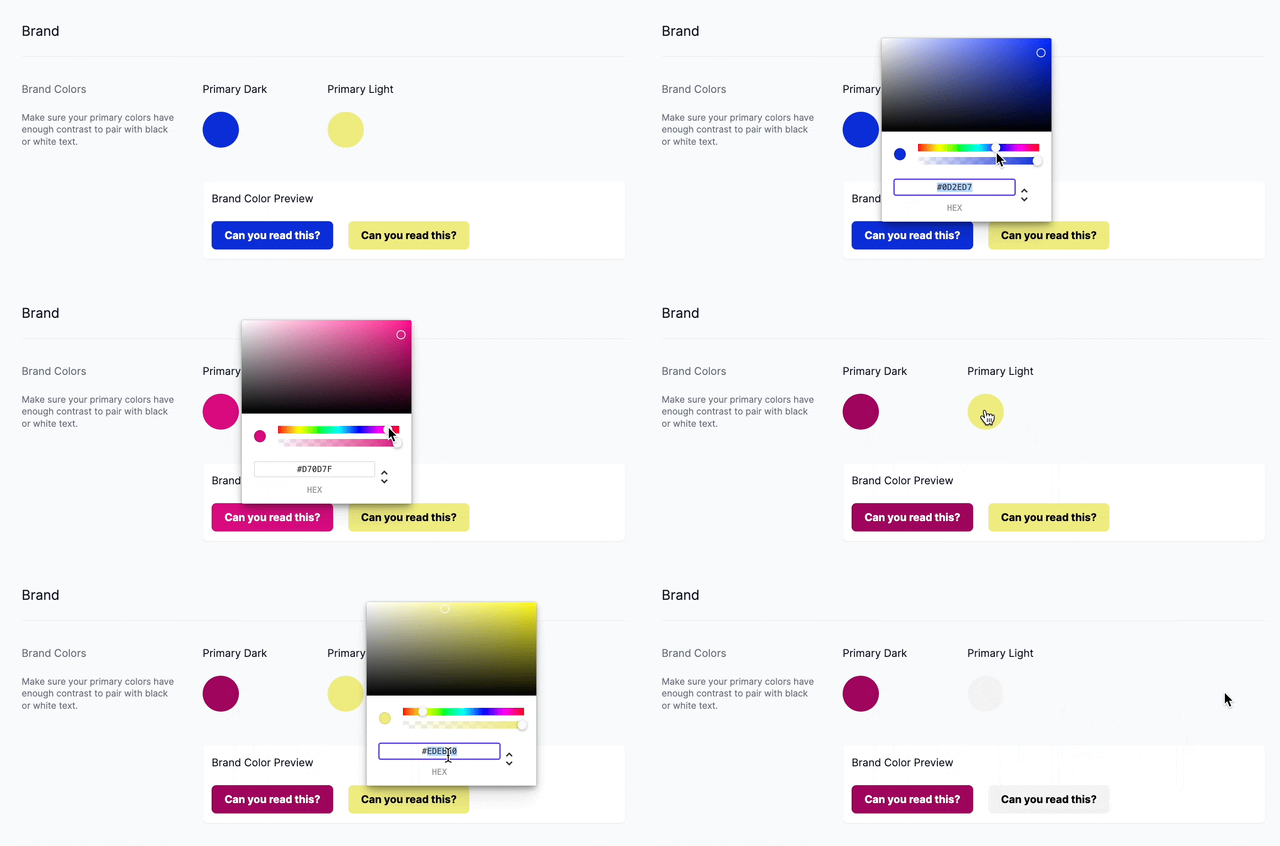
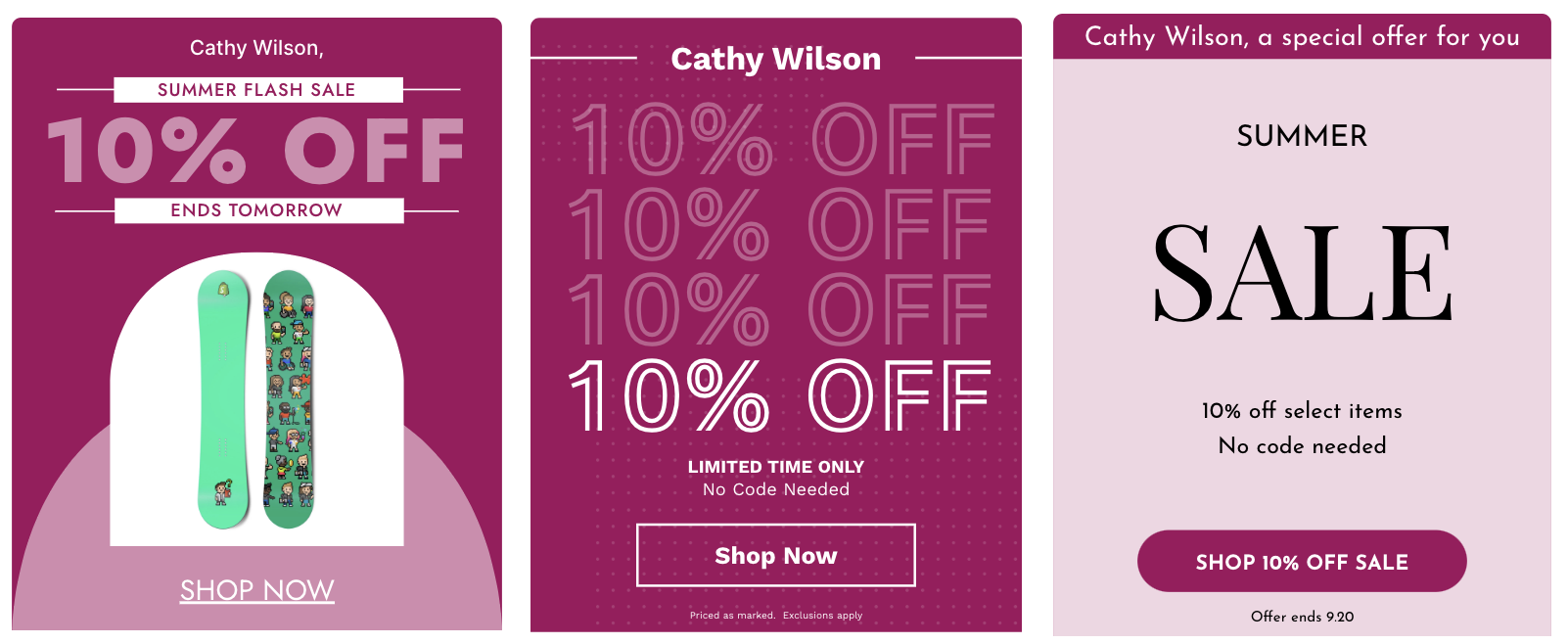
Your changes will be saved instantly. Visit the [**Grid and Pixel**](https://www.gridandpixel.com/?utm_source=helpcenter&utm_medium=gridandpixel) website or one of our collections pages — like our [**Campaign collection page**](https://www.gridandpixel.com/campaign?utm_source=helpcenter&utm_medium=article&utm_campaign=changebrandcolors) — by tapping the **Browse** in the menu bar to see your updated brand colors and how they look in different graphics.
[.png?width=129&height=20&name=Grid%20%26%20Pixel%20Logo%20(1).png "Grid & Pixel Logo")](https://gridandpixel.com)
[mailto:support@gridandpixel.com](mailto:support@gridandpixel.com)
Copyright © 2026 Grid & Pixel, Inc. All rights reserved.