---
title: How to Build Popups in Grid & Pixel
description: Learn how Forms pop-ups work in Grid & Pixel, including popup capture rate, desktop vs mobile performance, and Klaviyo growth tips.
---
[Skip to content](https://help.gridandpixel.com/en-us/grid-and-pixel-help-center/features-overview/how-to-build-popups-in-grid-pixel#main-content)
English - United States
Show submenu for translations
[](https://gridandpixel.com)
Open main navigation
Close main navigation
- English - United States
Show submenu for translations
- [Contact support](https://help.gridandpixel.com/en-us/grid-and-pixel-help-center/contact-us/contact-us)
[Contact support](https://help.gridandpixel.com/en-us/grid-and-pixel-help-center/contact-us/contact-us?hsLang=en-us)
Grid & Pixel Help Center
- There are no suggestions because the search field is empty.
1. [Grid & Pixel Help Center](https://help.gridandpixel.com/en-us/grid-and-pixel-help-center?hsLang=en-us)
2. [Shopify & Klaviyo Flows](https://help.gridandpixel.com/en-us/grid-and-pixel-help-center/shopify-klaviyo-flows?hsLang=en-us)
3. [Welcome](https://help.gridandpixel.com/en-us/grid-and-pixel-help-center/shopify-klaviyo-flows?hsLang=en-us#welcome)
November 24, 2026
# How to Build Popups in Grid & Pixel
## Build the signup offer, select the destination list and test a fresh submission all the way to the first welcome message.
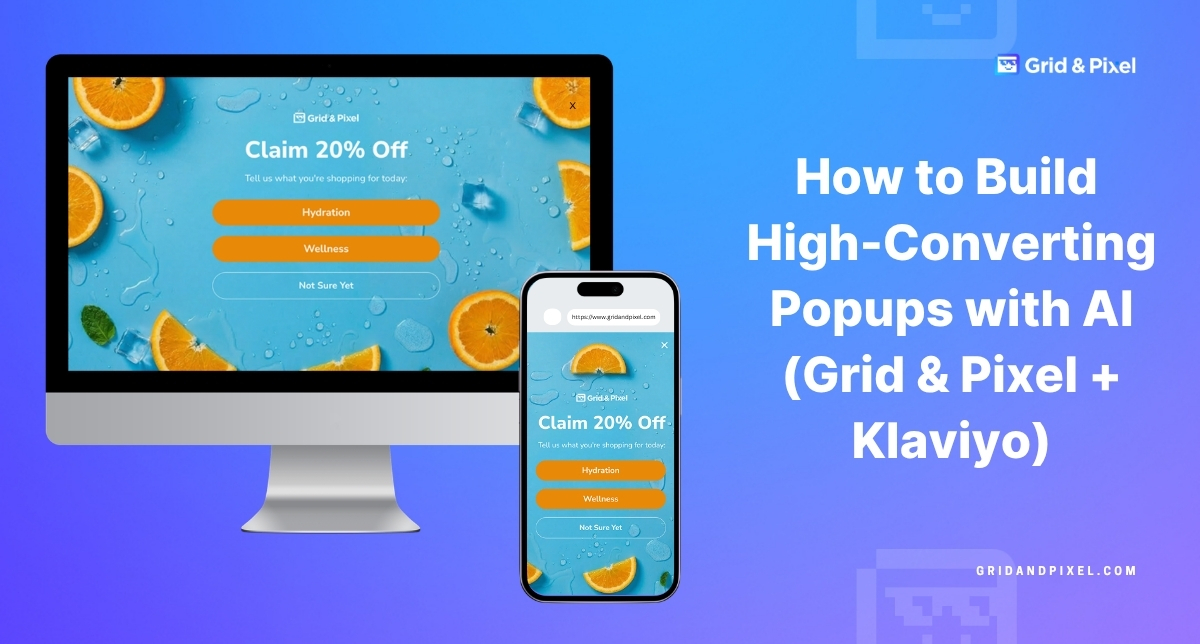
### Grid & Pixel AI Forms Build and Launch High-Converting Popups Faster
Capture more emails with a faster way to build popups.
Turn more visitors into subscribers with AI-powered forms designed for performance, structure, and speed. Built inside Grid & Pixel. Delivered directly to Klaviyo.
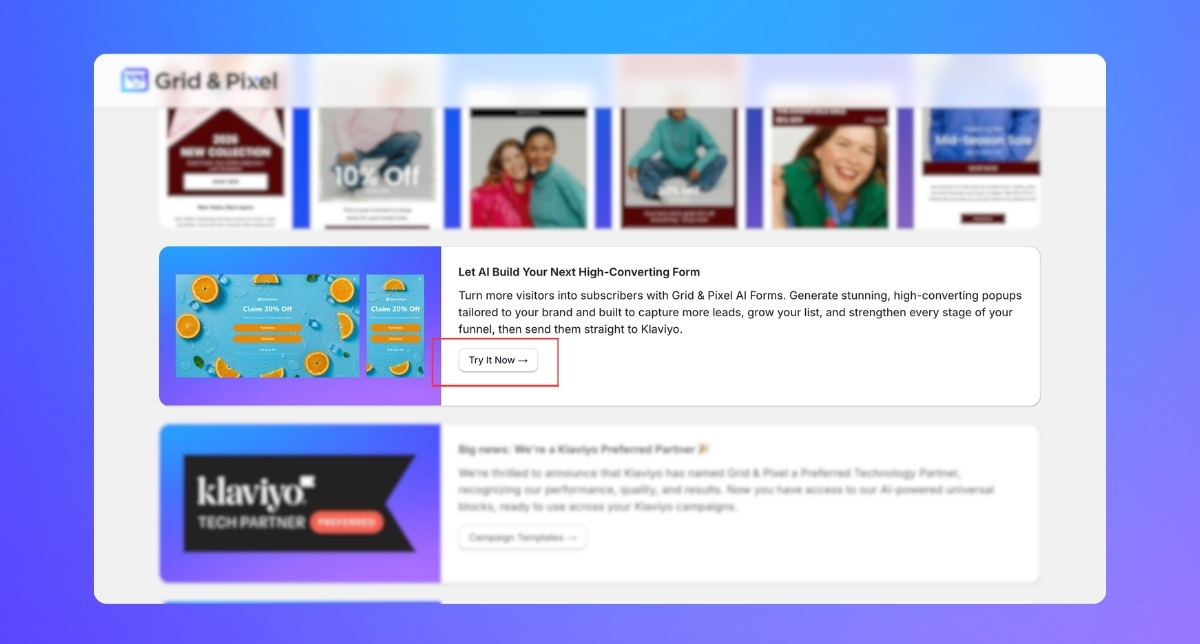
Once you are inside Grid & Pixel, you can immediately access the popup feature.
Click **“Try it now”** to start.
Before using this, make sure:
- Grid & Pixel is installed on your **Shopify** store
- Your **Klaviyo** account is connectedTry Email Autopilot free for seven days. Your monthly price after the trial is based on Shopify net sales over the last 12 months. See [Email Autopilot pricing](https://www.gridandpixel.com/pricing).
[**Install the Shopify App Here**](https://apps.shopify.com/gridandpixel?mref=social)or [**Book A Quick Demo**](https://www.gridandpixel.com/try)
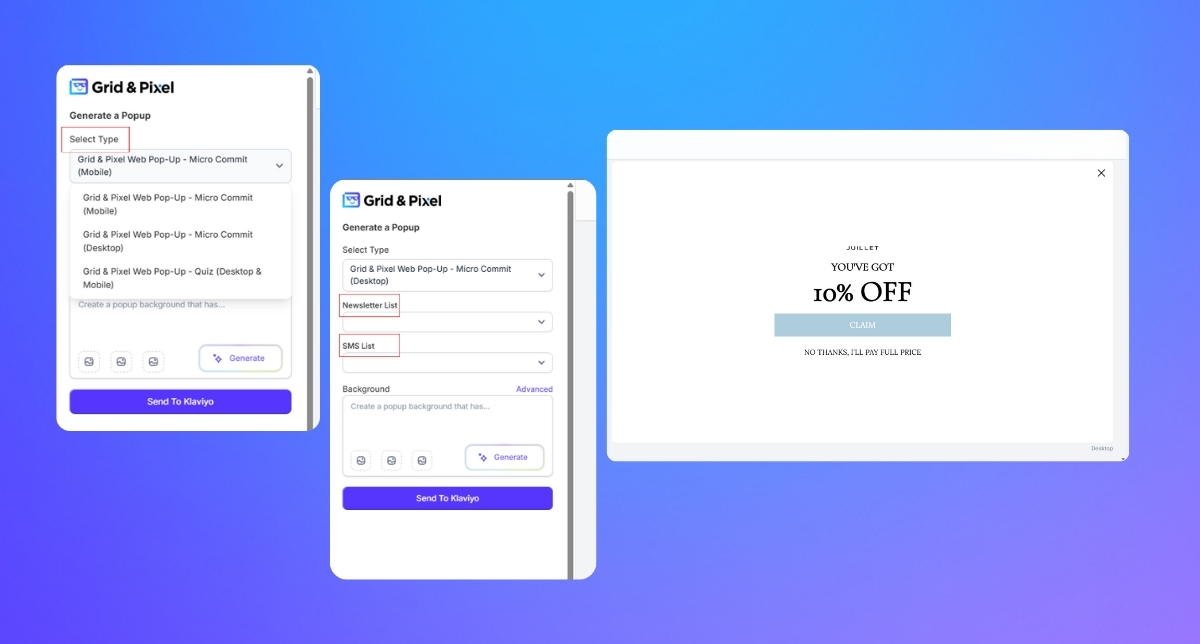
**Start** by choosing your popup type.
Inside the builder, select the format you want to create. This can be a micro-commit popup, signup form, or quiz-based flow.
This step defines how you capture attention and guide users into your funnel.
**Next,** connect your lists.
Select your **newsletter list** and **SMS list** so your popup is already aligned with your audience and ready to capture leads.
This ensures every submission flows directly into your Klaviyo system.
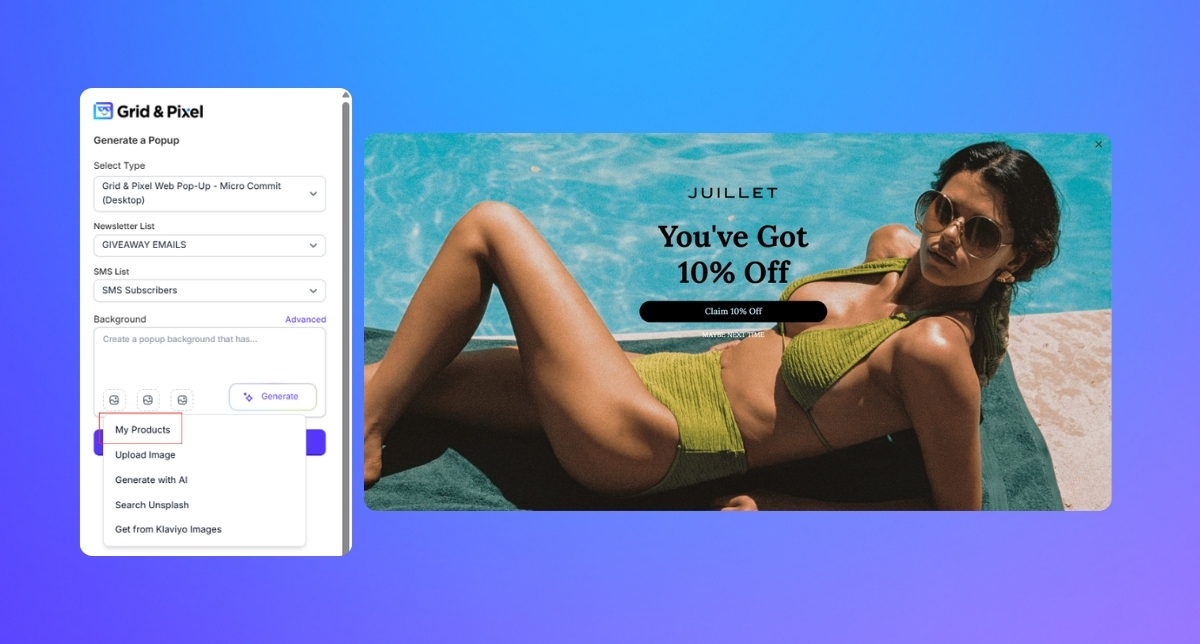
Now apply your brand visuals.
You can:
- Use your own product images
- Pull from your existing assets
- Keep everything aligned with your store design
This keeps your popup consistent with your brand experience and improves conversion.
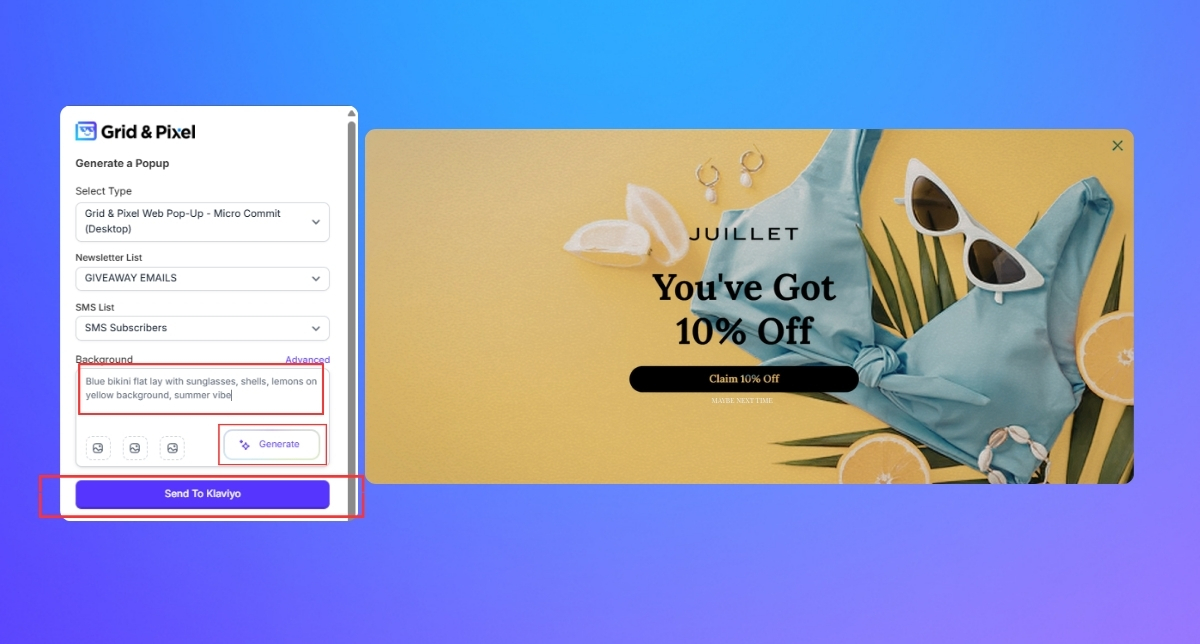
You can also generate backgrounds using AI.
This is where everything clicks.
Just describe the visual you want and AI generates a campaign-ready background instantly.
Once you’re happy with it, click **“Send to Klaviyo”**
No exporting. No rebuilding. No back and forth.
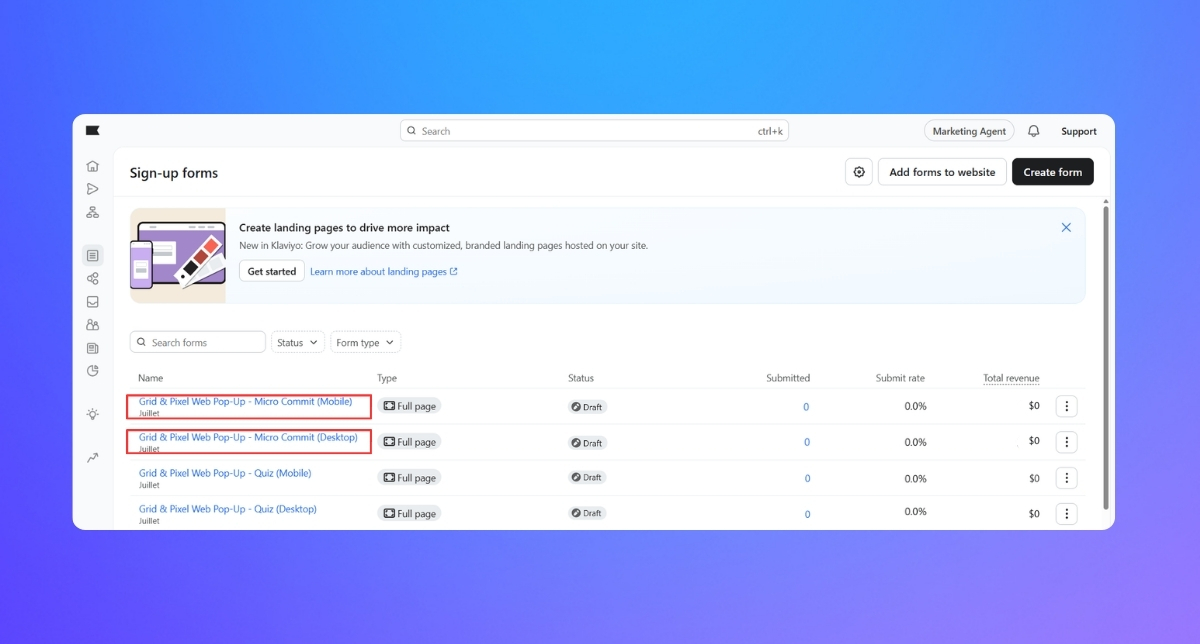
From here, everything syncs automatically.
Your form will appear inside Klaviyo under the **Sign-up Forms** tab as a draft.
You’ll see it listed just like in the dashboard, ready for editing and setup.
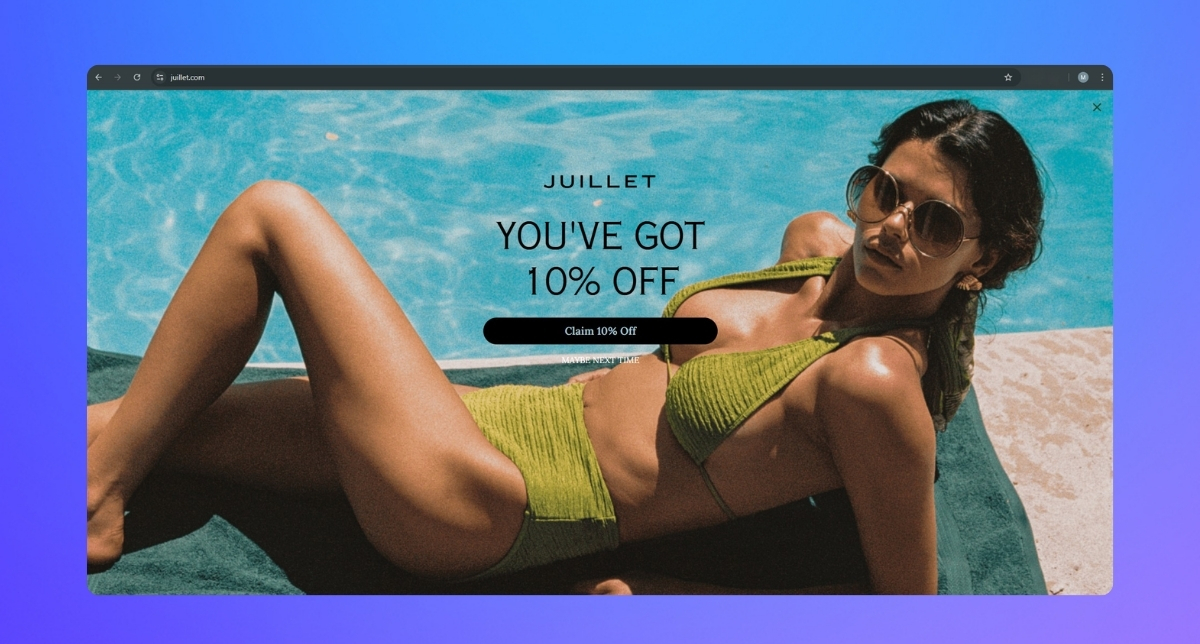
Turn more visitors into subscribers with Grid & Pixel AI Forms.
Generate high-converting popups tailored to your brand, built for performance, and sent directly to Klaviyo.
Start your **7-day free trial** See [Email Autopilot pricing](https://www.gridandpixel.com/pricing)
Build faster Launch faster Capture more
[**Install the Shopify App Here**](https://apps.shopify.com/gridandpixel?mref=social) or [**Book A Quick Demo**](https://www.gridandpixel.com/try)
### Test the path from a live popup to the first message
Create a test signup with an address that has never joined the intended list. Record the live form’s offer and destination, complete any confirmation step, then inspect the resulting Klaviyo profile. Check the list membership and channel status before opening the first welcome message.
For a form collecting email and SMS, test each permission separately using contact details you control. A newsletter subscriber who left the phone field empty should follow the email path. Preview the first message on a phone and open the offer link to confirm that it delivers what the popup promised.
### Check what happens after signup
- [Trace a missing popup signup](https://help.gridandpixel.com/en-us/grid-and-pixel-help-center/why-are-signups-missing-from-my-klaviyo-list-after-a-popup-goes-live?hsLang=en-us)
- [Investigate a rise in low-quality signups](https://help.gridandpixel.com/en-us/grid-and-pixel-help-center/how-to-investigate-a-sudden-rise-in-low-quality-email-signups?hsLang=en-us)
[](https://gridandpixel.com)
[Contact Grid & Pixel support](https://help.gridandpixel.com/en-us/grid-and-pixel-help-center/contact-us/contact-us?hsLang=en-us)
[TikTok Shop tools](https://www.gridandpixel.com/tiktok) · [Klaviyo welcome flows](https://www.gridandpixel.com/welcome-series) · [AI email for Klaviyo](https://www.gridandpixel.com/ai-email-mcp)
[mailto:support@gridandpixel.com](mailto:support@gridandpixel.com)
Copyright © 2026 Grid & Pixel, Inc. All rights reserved.